
Setting Up an Account
To set up your SmartHub account, follow these easy steps.
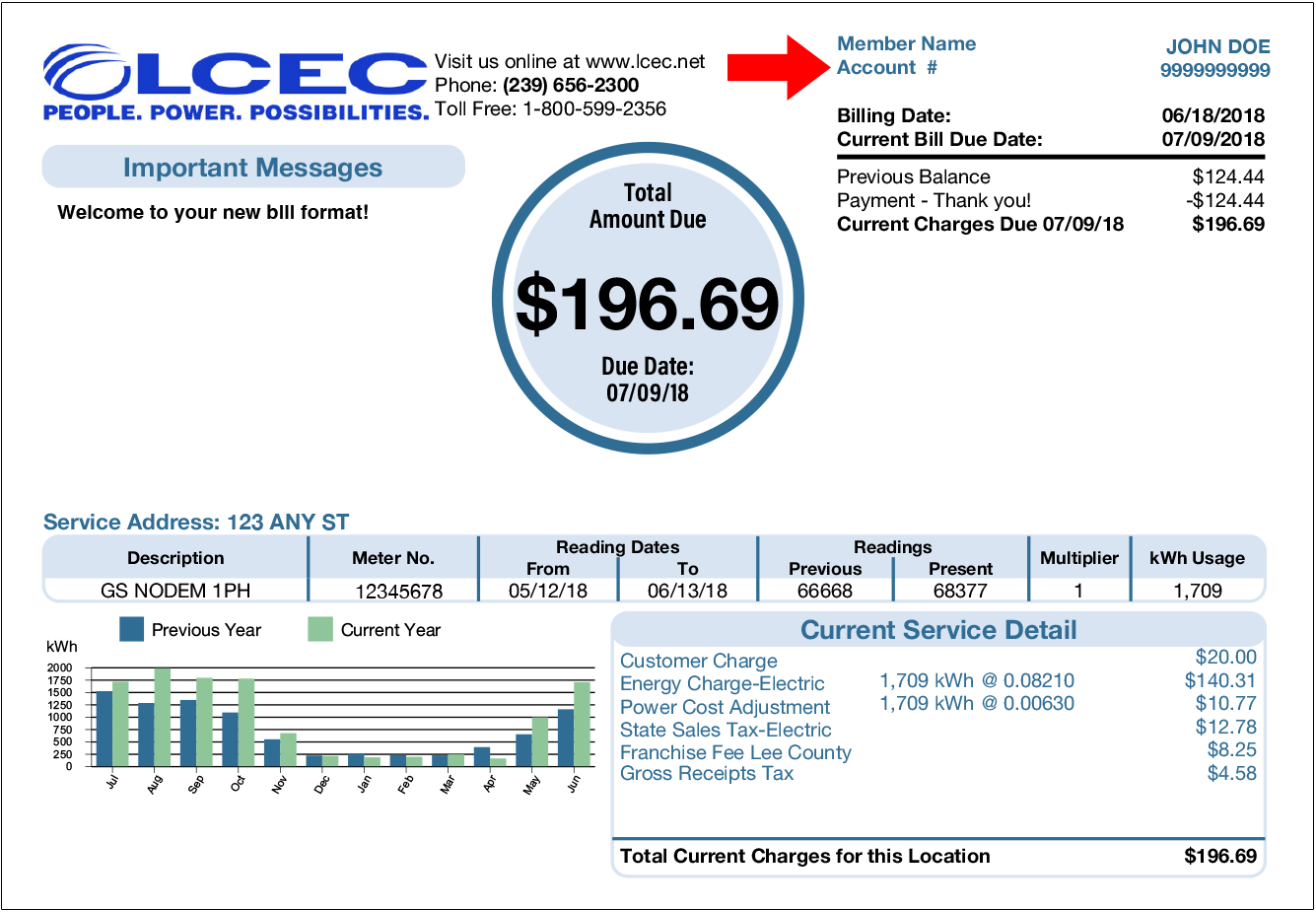
- You will need the following information:
-
- Last name or business name on your account
- Your LCEC account number
- Email address
If you don’t have a copy of your bill statement readily available, please Contact Us on LCEC.net and an LCEC representative will help you locate this information
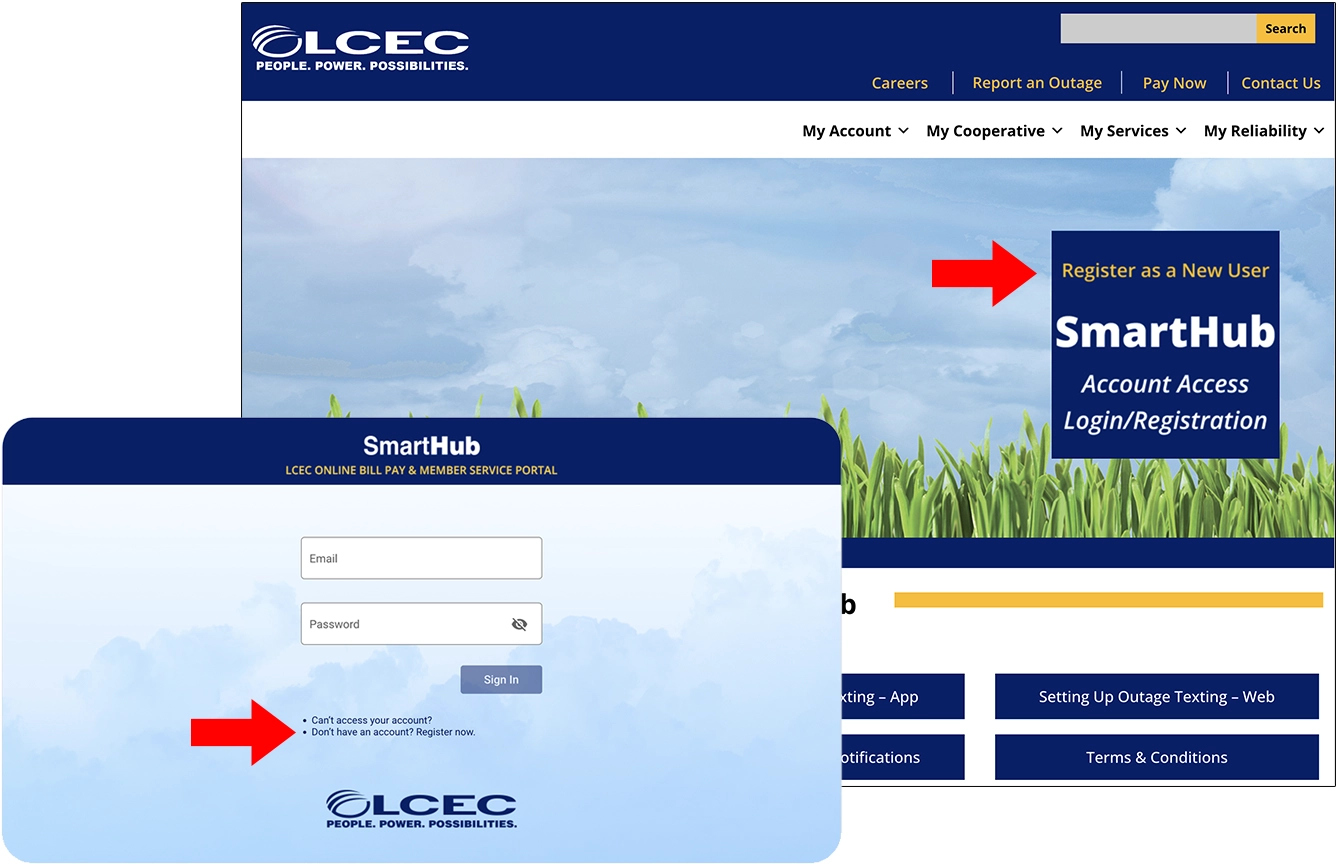
2. Visit SmartHub on lcec.net. Click “Register as a New User” on the right side of the screen.
Then click “Don’t have an account? Register now.”
- Enter the requested information in the “New User Registration” form. Click “Continue.”
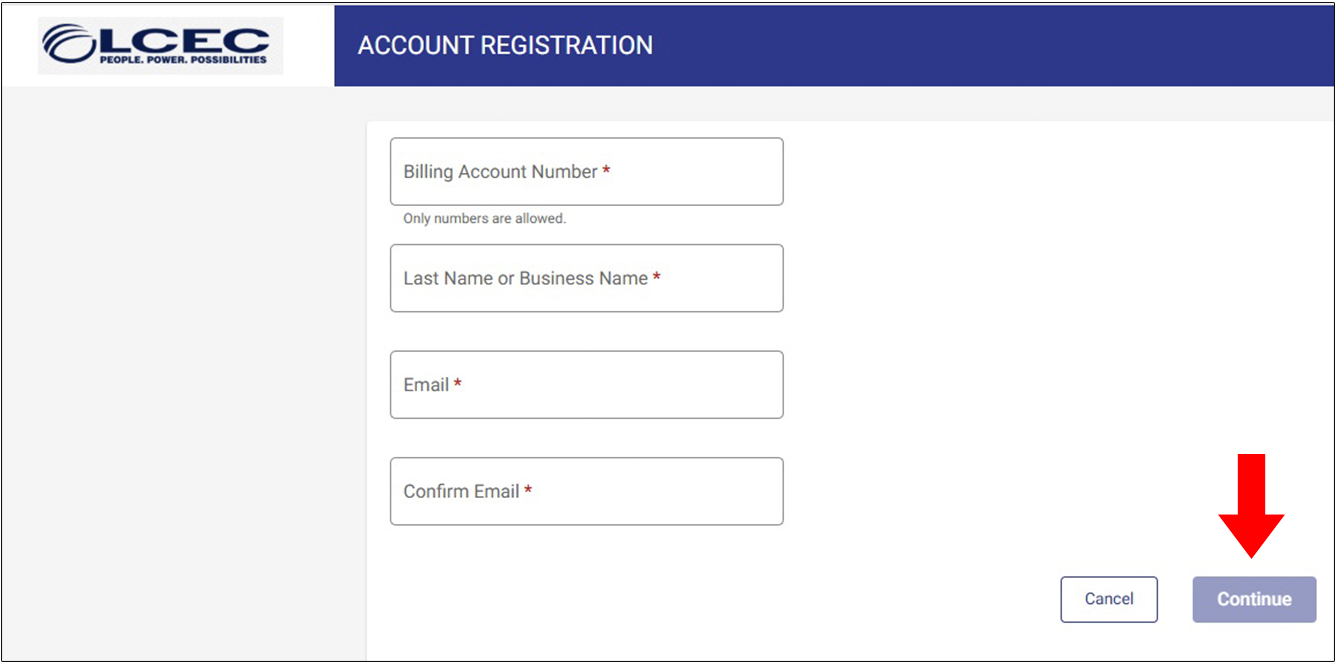
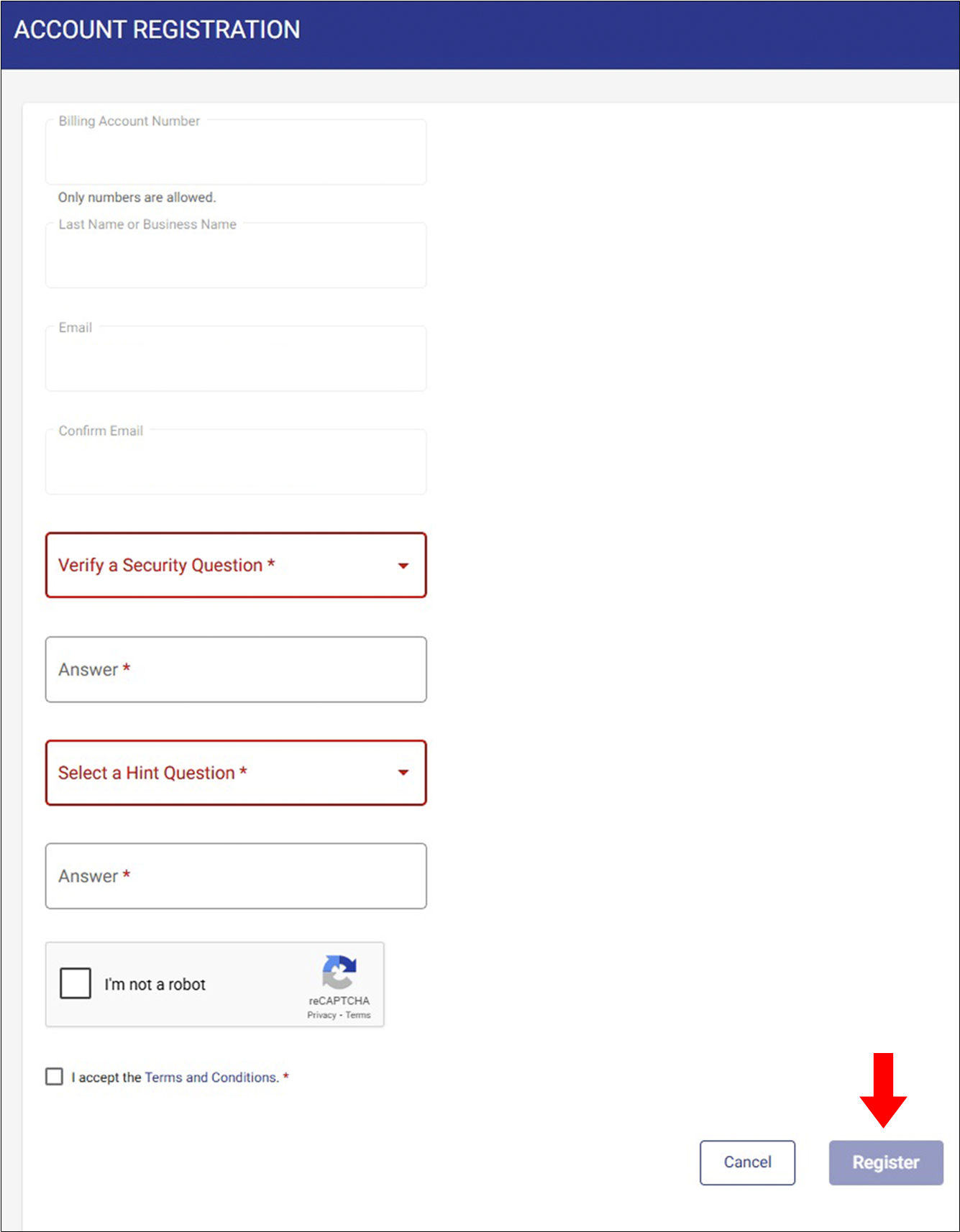
- A security question will appear. Click the drop-down menu and enter the information in the box marked “Answer.”
A “Secret Hint Question” will appear. Enter the information in the box marked “Answer.”
Click the box to confirm you are “Not a Robot” and accept the “Terms and Conditions.” Click “Register.”
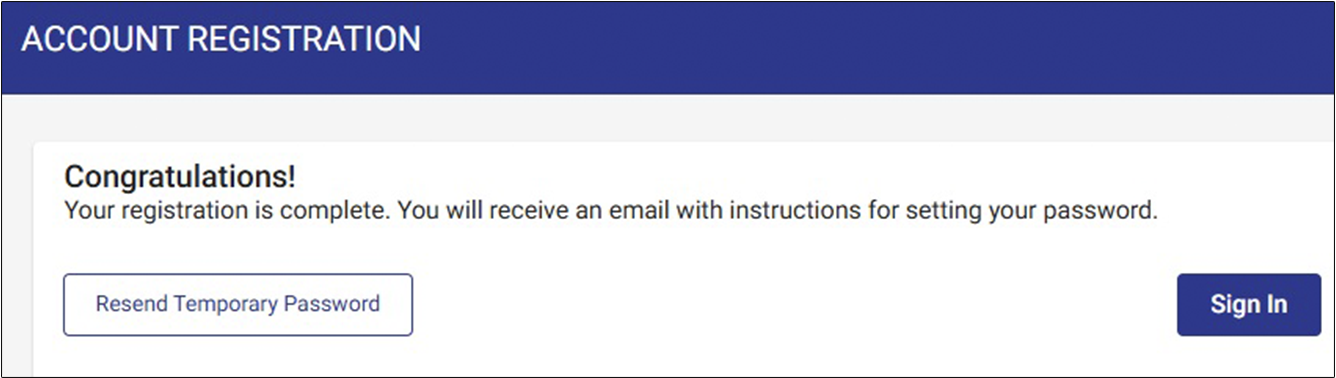
- A registration confirmation message will appear.
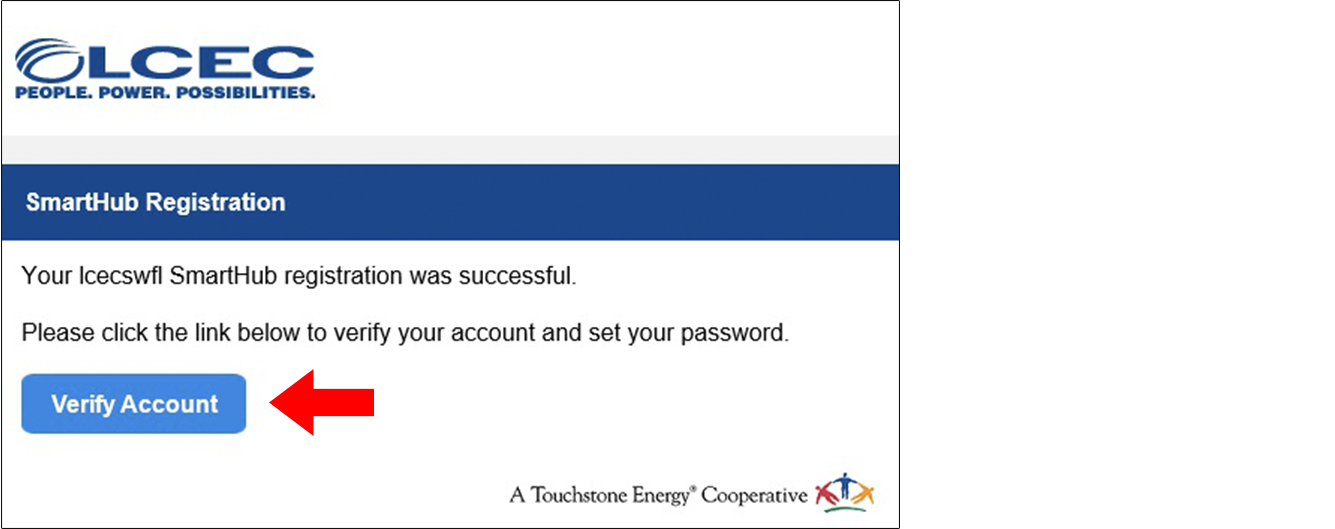
- Check the inbox of the email address you provided when registering for SmartHub. Be sure to check your junk mailbox if there is no message in your email inbox. Open the email and click on the “Verify Account” button.
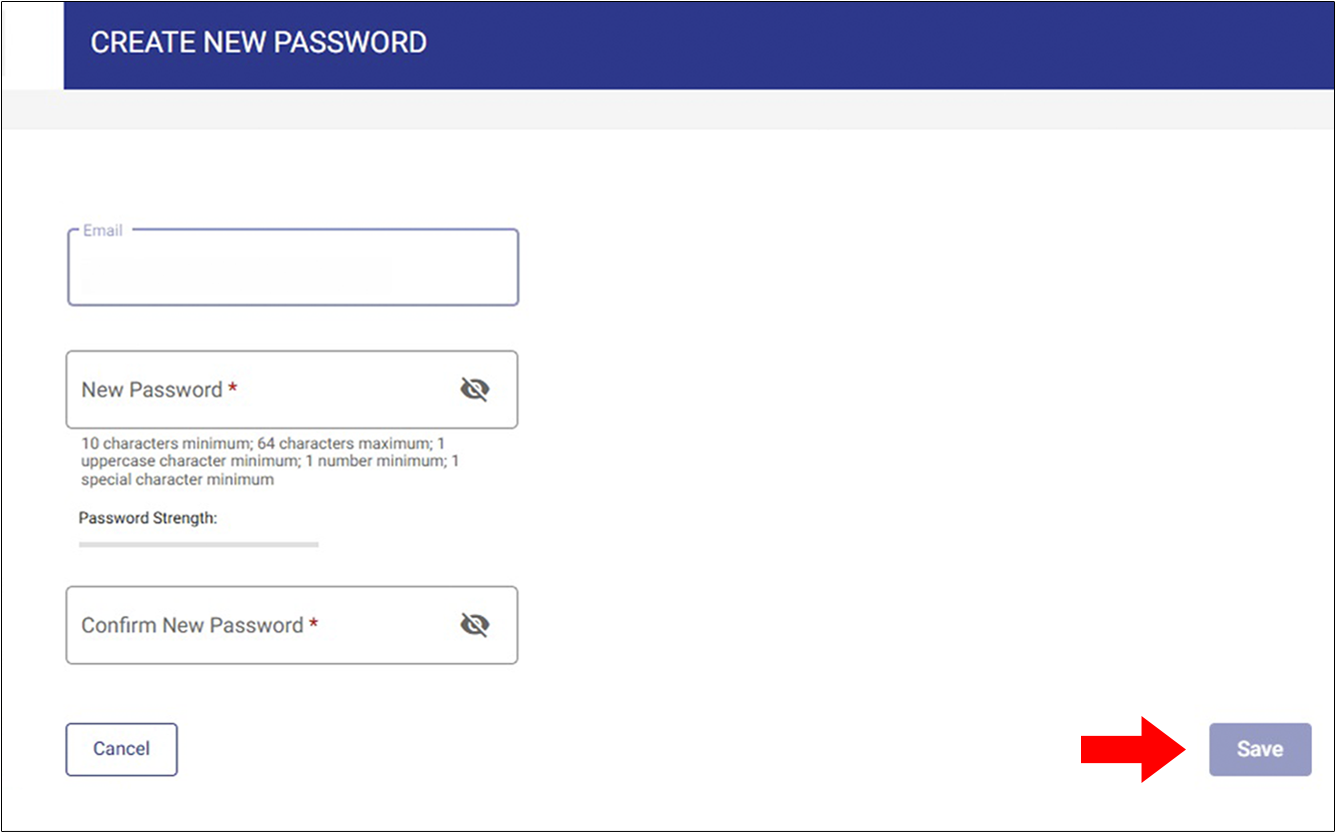
- Once logged in you will be asked to change your password. Create a new password and record it so that you have it to access SmartHub in the future. For security, after 6 failed password attempts, you will be locked out. You may log in with your existing password after 30 minutes. Can’t remember your password? Click the red “Can’t access your account?” button below the login to reset. If you are still experiencing issues “Contact Us” on lcec.net.