
Setting Up Outage Texting – App
Members with the SmartHub mobile app can report an outage simply by texting OUT to (844) 948-2817. Message and data rates may apply.
Eligible Members:
- Members enrolled in SmartHub with a phone contact and email on record.
- Member with a single electric account. Accounts with multiple service locations must report an outage through SmartHub to ensure the correct address is reported.
Outage Texting is not available if:
- Power is disconnected for non-payment
- A start service is not yet active
- An outage has already been reported at that location
To register your number within SmartHub App, follow these easy steps:
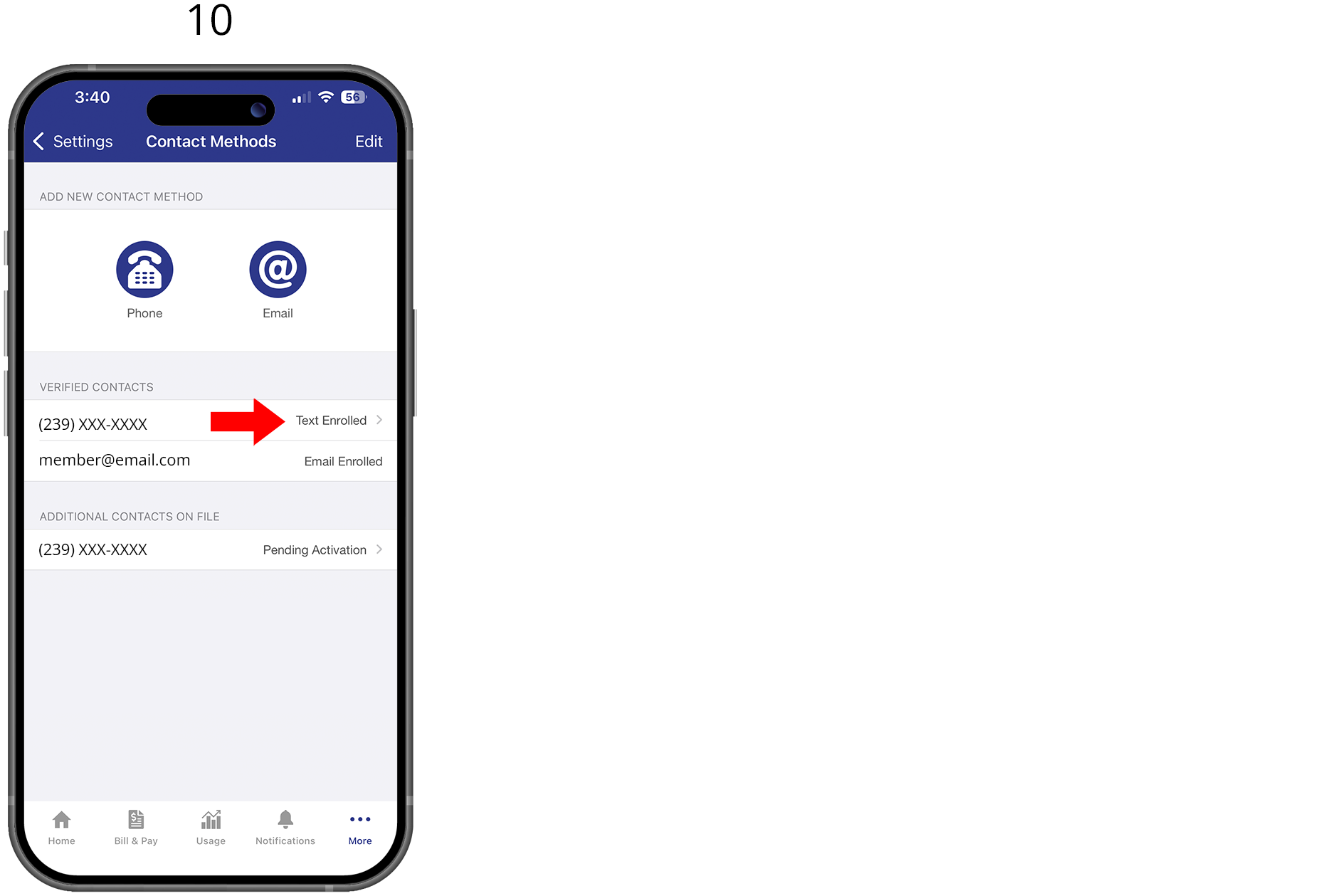
To register your number within SmartHub via the app, log into your LCEC SmartHub App. If not registered refer to Setting up an account.
1. Select the “More” at the bottom of the home screen
2. Select “Settings”
3. Select “Contact Methods”
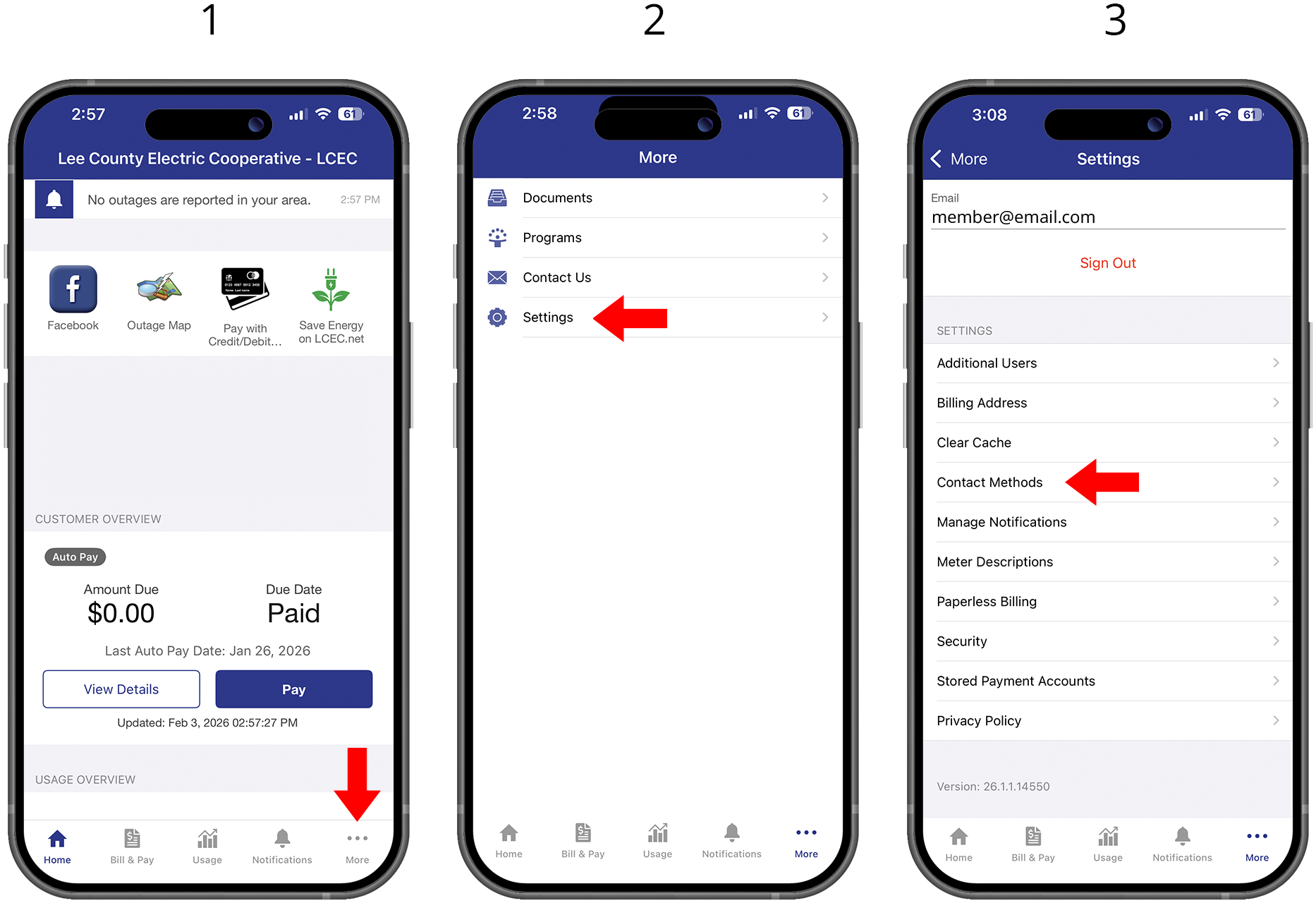
4. Select “Add New Contact Method” and the “Phone” icon
5. Enter “Phone” number with area code. Check “Receive Text Messages” and click “Continue”
6. Accept “Terms and Conditions”
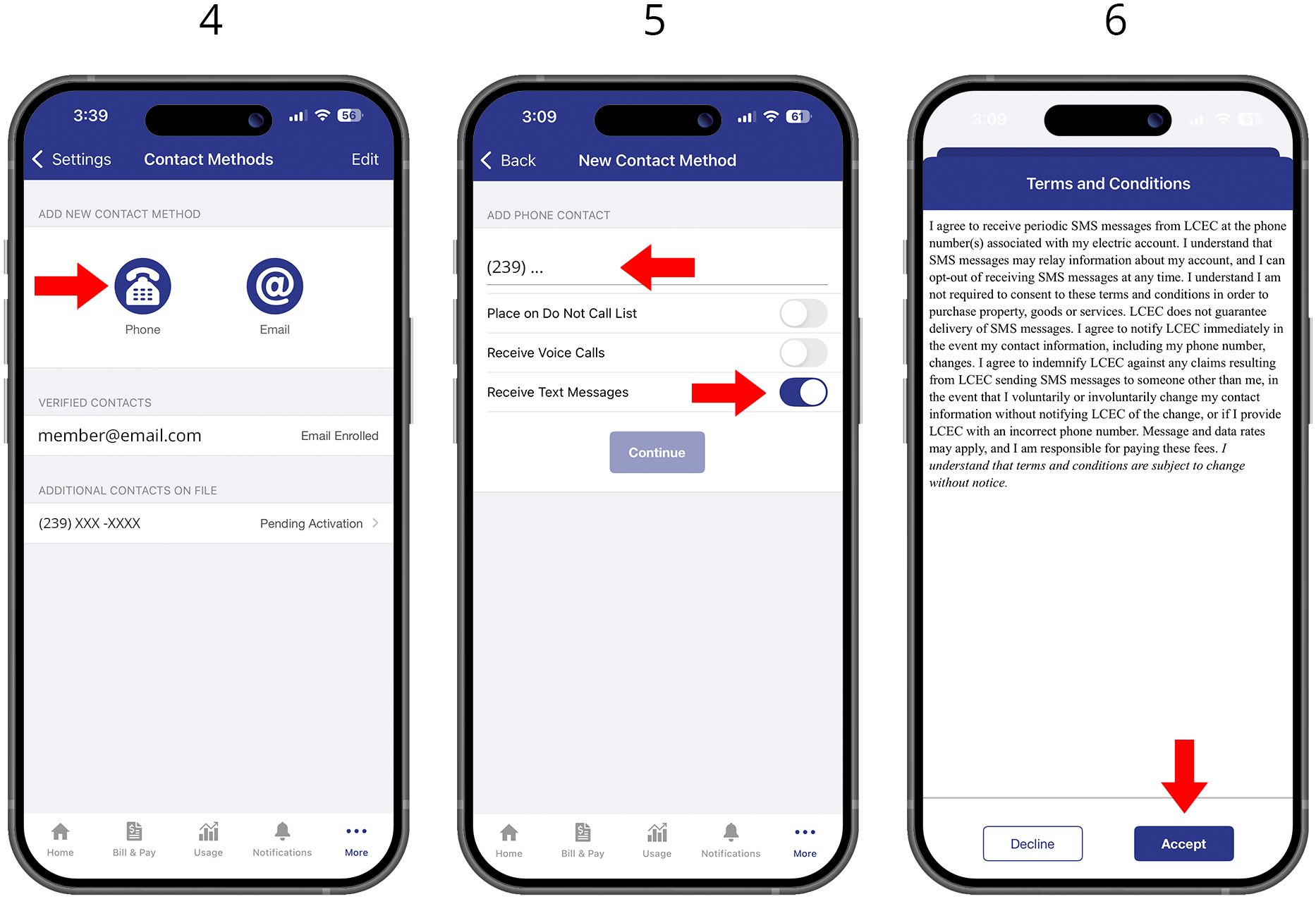
7. You will receive a text code to your registered mobile number
8. You will enter the text code in the indicated “Verification Code” box and click “Verify”
9. A text message will be sent verifying registration is complete
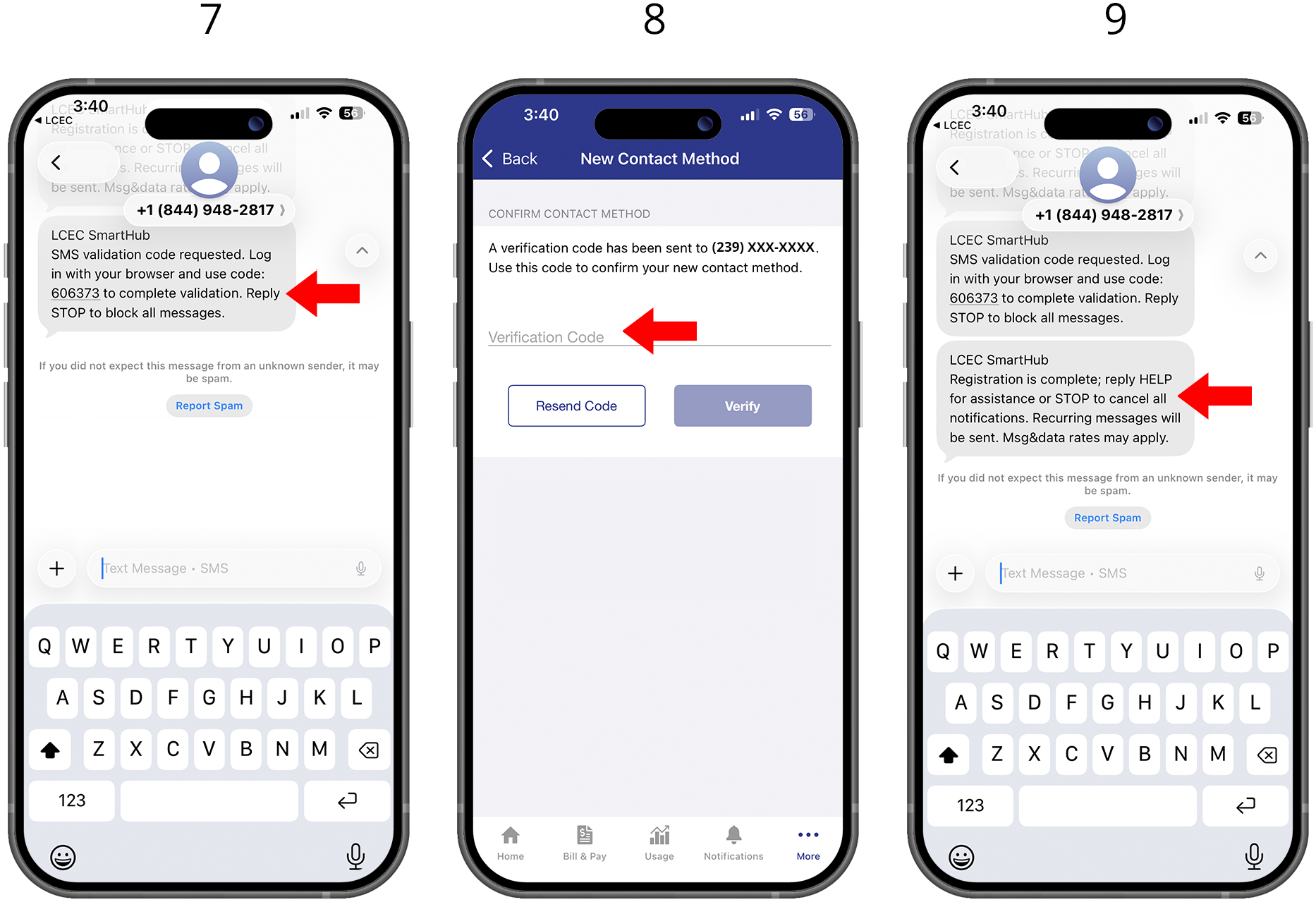
10. To verify number is correctly enrolled. Go to “More” and “Contact Methods” to ensure the number is “Text Enrolled”